Your Instagram bio has room for one link. Your TikTok bio has room for one link. Yet you have a WhatsApp number, a product catalogue, a YouTube channel and maybe a website to share. A link in bio tool solves this by giving you one smart page that holds everything. In this guide, we look at HBGEN, its main tools and the full HBGEN pricing, so you can decide if it fits your brand. HBGEN goes further than most, with smart links, dynamic QR codes, a landing page builder and Facebook tools, which makes it a strong Linktree alternative for people who sell online.
Disclosure: HBGEN and Froshvibes share the same owner. We have stuck to the features and prices listed on the official HBGEN website.
Contents
- What is HBGEN?
- Who is this link in bio tool for?
- HBGEN tools and features
- 1. Bio pages with animated themes
- 2. Drag and drop landing page builder
- 3. URL shortener and smart links
- 4. Dynamic QR codes
- 5. Campaigns, funnels and automations
- 6. Verified conversion tracking and A/B tests
- 7. Traffic quality and performance dashboards
- 8. Link monitor and SEO suite
- 9. Facebook tools for pages and ads
- 10. Inbox, Lab and file storage
- 11. Teams, white-label and API access
- The HBGEN toolbox: over 35 handy tools
- Document and PDF tools
- Image and design tools
- Video and audio tools
- Ads and marketing calculators
- Social and everyday tools
- Get paid in Naira, dollars or crypto
- HBGEN pricing: Pro vs Business
- Why HBGEN is a Linktree alternative worth trying
- How to get started
- Frequently asked questions
- What is a link in bio tool?
- How much does HBGEN cost?
- Is HBGEN a good Linktree alternative?
- What are smart links?
- Do the Facebook tools need a separate app?
- Can I use my own domain?
- Does HBGEN work on my phone?
- How do I contact HBGEN?
- Final thoughts
- Related on Froshvibes
What is HBGEN?
HBGEN is a growth platform made by HERBIDEX. It started as a link in bio tool, but it now does much more. You can build bio pages and landing pages, create smart links and dynamic QR codes, run campaigns and track sales from one dashboard.
The idea is simple. Instead of paying for five or ten separate apps, you manage your links, pages and results in one place. It works in any browser, and you can install it on your phone like an app.
Who is this link in bio tool for?
HBGEN is built for people who share links on social media or in ads and want to measure the results. That includes:
- Content creators on Instagram, TikTok, YouTube and X who need one page for all their links.
- Small businesses and online vendors who sell through WhatsApp, Instagram or a website.
- Musicians and podcasters who want to share songs, videos and Spotify embeds.
- Marketers and agencies who run campaigns for several clients.
- Restaurants and event planners who print QR codes on menus, flyers and banners.
If you sell in Nigeria, the payment options are a big plus. We cover them below.
HBGEN tools and features
HBGEN packs a lot into one dashboard. Here are the main tools you get on a paid plan, grouped by what they help you do.
1. Bio pages with animated themes
Create a bio page with one of 11 animated themes. Add products, videos, music, links and contact buttons. You can schedule links, add a search box and translate your page for visitors in 18 languages. HBGEN Studio adds live backgrounds and interactive blocks, so your page does not look like everyone else’s.
2. Drag and drop landing page builder
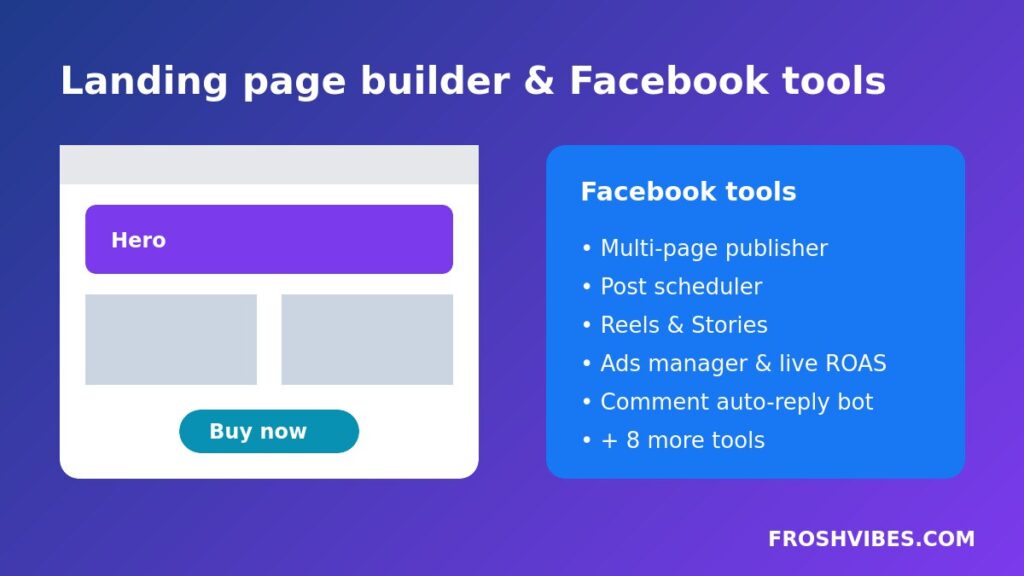
The landing page builder has 28 elements. You can drag and drop blocks or write your own HTML. It supports forms, popups, countdown timers, embeds and social blocks. You can also export a landing page and import it into another account, which saves time for agencies.
3. URL shortener and smart links
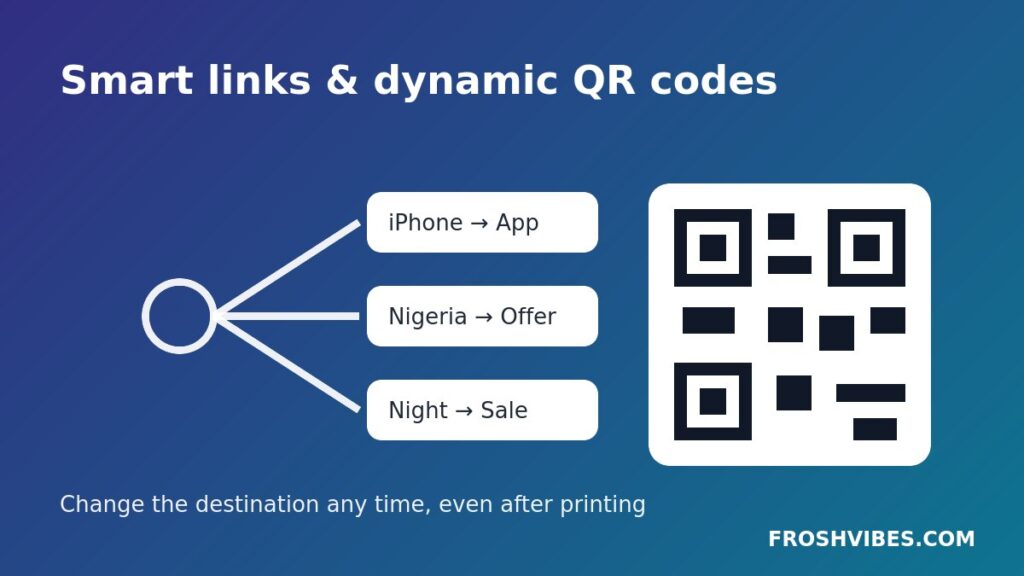
Paste any long link and get a short one in a second. For more control, create a smart link. A smart link sends each visitor to the right place. You can set rules by device, country, language or time of day. For example, iPhone users can go to the App Store, while visitors from Nigeria or Ghana see a local offer.
4. Dynamic QR codes
A normal QR code is fixed forever once you print it. A dynamic QR code points to a short link you control, so you can change the destination after printing. HBGEN lets you add your own colours and logo, and it shows how many people scanned each code.
5. Campaigns, funnels and automations
Group your links and pages into campaigns. HBGEN adds UTM tags for you and tracks spend, revenue and return on investment. The funnel builder lets you plan each step from first click to sale. Visual automations handle repeat tasks for you, and digital product delivery sends a file to buyers right after they pay.
6. Verified conversion tracking and A/B tests
Conversion tracking uses click IDs, a pixel and postbacks. This means you can see exactly which link, QR code or campaign made a sale. You can split traffic between two versions of a page, run an A/B test and keep the winner.
7. Traffic quality and performance dashboards
Not every click is a real customer. The traffic-quality dashboard shows how good your visitors really are, so you can spend more on the sources that bring real buyers. The performance dashboard shows live visitors, devices, referrers and conversion funnels in real time.
8. Link monitor and SEO suite
The link monitor checks your links and sends an alert by email or webhook when one breaks. The SEO suite covers meta tags, social cards, schema, a sitemap and a live Google preview. That helps your pages look good when they are shared or found on Google.
9. Facebook tools for pages and ads
This is one of the biggest parts of HBGEN. If you run Facebook pages or ads, you get a full set of tools in the same place:
- Multi-page publisher: post to several Facebook Pages at once.
- Page publisher and scheduler: publish now or schedule posts for later.
- Reels and Stories: prepare and post short videos.
- Create ad and Ads manager: build and manage your ads.
- Live ads dashboard: see spend, results and ROAS pulled from your ad account.
- Comment auto-reply bot: reply to comments on your posts automatically.
There are eight more Facebook tools inside the dashboard. Together, they can replace several paid social media apps.
10. Inbox, Lab and file storage
HBGEN Studio also includes an Inbox for messages and leads, plus a Lab with experimental tools. The Files area stores your images, videos, audio and PDFs. You can even import a file you already host by pasting its link.
11. Teams, white-label and API access
You can invite admins, editors and viewers to a shared workspace without sharing your password. Agencies can white-label the platform with their own logo, colours and domain. Developers get API access to create links, change QR destinations, read stats and record conversions.
The HBGEN toolbox: over 35 handy tools
Beyond the link in bio tool itself, HBGEN includes a large toolbox that saves time on boring jobs. Here is what you will find, by category.
Document and PDF tools
- Word to PDF: convert .docx, .odt, .rtf, .pptx and text files.
- Text to PDF and Images to PDF: turn text or photos into a clean PDF.
- PDF editor: import, edit, merge, split, rotate, annotate, sign and export.
- PDF to images: turn every page into a PNG or JPG.
Image and design tools
- Image converter: JPG, PNG, WebP and GIF, with resize and compression.
- Image resizer for Facebook: profile, cover, post, story, event and ad sizes.
- Image cropper and compressor: crop for any placement and shrink the file size.
- Palette from image: pull a brand colour palette from a photo.
- Mesh-gradient studio: design colourful backgrounds and export PNG or CSS.
- Favicon and app-icon pack: turn one image into every icon size you need.
Video and audio tools
- Video resizer: fit videos for TikTok, Reels, Shorts and Facebook.
- Video thumbnail: grab any frame as a cover image.
- Screen recorder: record your screen, a window or a tab with audio.
- Voice recorder with live transcript: record audio and get speech-to-text.
Ads and marketing calculators
- Ad copy checker and ad copy workspace: write headlines and CTAs with a live preview.
- Ad ROI calculator and CPC, CPM and CTR calculator.
- Ad budget planner: plan daily budgets and expected clicks.
- LTV, CAC and payback calculator: know what you can spend to win a customer.
- A/B test significance: check if version B is really better.
- Campaign link (UTM) builder and ad and post size guide.
Social and everyday tools
- Hashtag maker and bold and italic text for posts and bios.
- Share and Messenger links for Facebook, WhatsApp, X, Telegram and LinkedIn.
- Meta Pixel code, a link preview checker and a sharing preview designer.
- QR and barcode scanner that works with your camera or an image.
- Dev kit and text diff checker for more technical tasks.
Tip: if you create content on your phone, pair these tools with our guide on how to take a screenshot on Android.
Get paid in Naira, dollars or crypto
This is where HBGEN stands out for Nigerian sellers. Your pages can accept payments through:
- Paystack
- Flutterwave
- PayPal
- Stripe
- Bank transfer
- Bitcoin and USDT
You switch on only the methods you need. The platform also handles digital product delivery, so a buyer can receive an e-book or file after paying.
HBGEN pricing: Pro vs Business
HBGEN has two paid plans. Both include the full feature set. The difference is how many pages, blocks and storage you get.
| Feature | Pro | Business |
|---|---|---|
| Monthly price | $15 | $39 |
| Yearly price | $150 | $390 |
| Bio and landing pages | 50 | 500 |
| Blocks per page | 50 | 500 |
| Storage | 100 GB | 500 GB |
| Upload size per file | 100 MB | 100 MB |
| Custom domains | Yes | Yes |
| Remove “Made with” badge | Yes | Yes |
| API, teams and white-label | Yes | Yes |
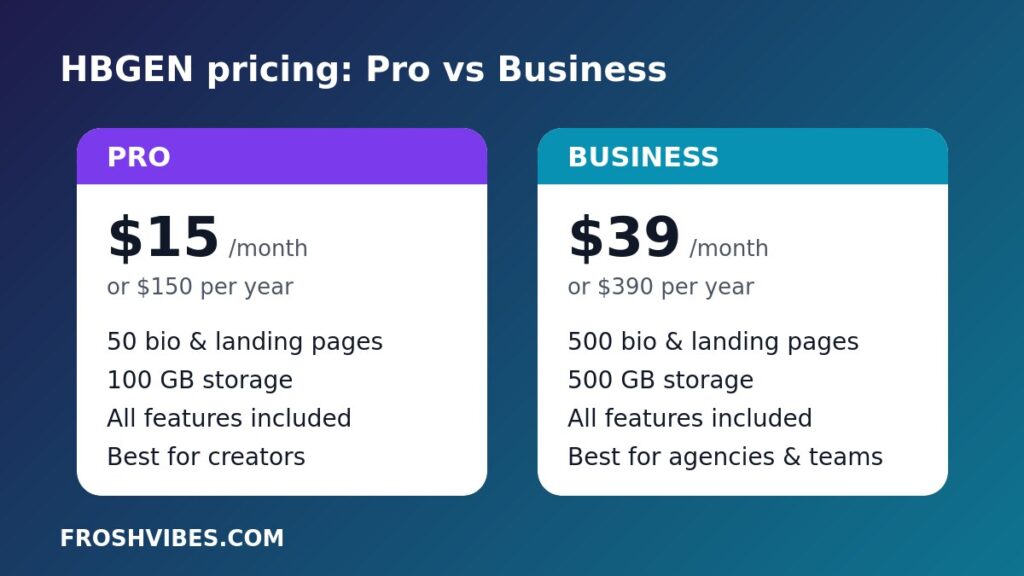
Paying yearly costs the same as ten months, so you get about two months free. Prices are in US dollars. Check the official HBGEN pricing page for the latest figures before you pay.
Which plan should you choose?
HBGEN pricing is simple, so the choice comes down to how big you plan to grow. Choose Pro if you are a creator, freelancer or small business. Fifty pages is plenty for a bio page, a few landing pages and some campaign pages.
Choose Business if you are an agency, a team or a brand with many products. It gives you ten times the pages and five times the storage.
Is there a free plan?
No. HBGEN pricing has no free tier, and there is no free trial. According to its FAQ, this keeps the platform fast and free of spam. You can cancel or change your plan at any time.
How do you pay?
You can pay for your plan by card, bank transfer or crypto. You can renew by hand or set it to renew automatically.
Why HBGEN is a Linktree alternative worth trying
Many people start with Linktree or another free bio page and outgrow it fast. A basic bio page shows a list of links, and that is all. If you want a Linktree alternative that can also sell and track, HBGEN is worth a look when you need more than a list:
- You want to sell with Paystack or Flutterwave, not just share links.
- You print QR codes and may need to change where they point.
- You run ads and need to know which link made each sale.
- You manage several brands or clients from one account.
If you only need three links and never sell anything, a free tool may be enough. If your bio link is part of your business, a paid plan pays for itself quickly.
How to get started
- Go to hbgen.com and click Create your account.
- Pick the Pro or Business plan and complete payment.
- Create your first bio page and choose a theme.
- Add your links, products, WhatsApp button and social icons.
- Create smart links for your main offers, so each visitor lands on the right page.
- Connect your Facebook Page if you plan to use the Facebook tools.
- Copy your new link and paste it into your Instagram, TikTok and X bios.
Setting up your first page takes about a minute. Before you share it, secure your accounts with our guide to WhatsApp two-step verification.
Frequently asked questions
What is a link in bio tool?
It is a tool that creates one web page holding all your important links. You place that page’s link in your social media bio.
How much does HBGEN cost?
Pro costs $15 a month or $150 a year. Business costs $39 a month or $390 a year.
Is HBGEN a good Linktree alternative?
Yes, if you want more than a list of links. As a Linktree alternative, HBGEN adds selling, tracking, a landing page builder and dynamic QR codes in one account.
What are smart links?
Smart links are short links that send each visitor to a different page based on rules such as device, country, language or time.
Do the Facebook tools need a separate app?
No. The Facebook tools sit inside the same HBGEN dashboard as your bio pages and links.
Can I use my own domain?
Yes. Custom domains are included on both paid plans.
Does HBGEN work on my phone?
Yes. It is fully responsive and can be installed as an app. Recently viewed pages also work offline.
How do I contact HBGEN?
You can reach the team by email or WhatsApp through the HBGEN contact page.
Final thoughts
HBGEN is more than a simple link in bio tool. It brings bio pages, landing pages, smart links, dynamic QR codes, payments and a handy toolbox together. The HBGEN pricing is clear, with two plans and no hidden extras. If you sell online in Nigeria and want to know which link brings in money, it is worth trying. For anyone who manages Facebook Pages, the built-in Facebook tools make it an even better Linktree alternative.
Related on Froshvibes