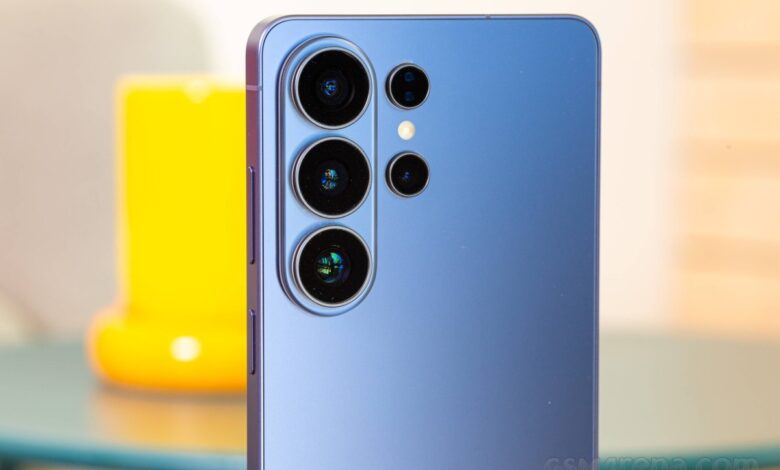
Samsung’s next big software update is One UI 9, built on Google’s Android 17. If you own a Galaxy phone, foldable or tablet, the two questions that matter are simple: is my device eligible for the One UI 9 update, and when will it arrive? This guide answers both, with the full list of eligible Samsung devices, the expected rollout order and the most useful new features.
Note: this article was first published in June 2026, when One UI 9 was in public beta. Samsung confirms final device lists and dates in its own announcements, so always check the Settings › Software update menu on your phone for the latest status.
Contents
- One UI 9 at a glance
- What’s new in One UI 9?
- One UI 9 release date and rollout order
- Full list of One UI 9 eligible devices
- How to check for the One UI 9 update
- Frequently asked questions
- Will the Galaxy S22 get One UI 9?
- Is One UI 9 based on Android 17?
- When will Nigerian and African users get One UI 9?
- Final thoughts
- Related on Froshvibes
One UI 9 at a glance
- Based on: Android 17
- Public beta started: 13 May 2026, on the Galaxy S26 series
- Expected stable release: around 22 July 2026, according to Korean outlets Seoul Economic Daily and Korea Economic TV, alongside the Galaxy Z Fold 8 and Z Flip 8 launch
- Oldest eligible flagships: Galaxy S23 series and Galaxy Z Fold 5 / Z Flip 5
What’s new in One UI 9?
One UI 9 is a refinement update rather than a redesign. The bigger visual change came with One UI 8.5 and its “Ambient Design” look; One UI 9 keeps that foundation and focuses on Galaxy AI, security and everyday usability. Features Samsung showed during the beta include:
- Redesigned Quick Panel: brightness, volume and the media player can each be resized and adjusted independently.
- High-Risk App Blocking: a system-level shield that warns you about a suspicious app, stops it from running and prompts you to remove it.
- Creative Studio business cards: the Contacts app can now create personalised digital business cards.
- Text Spotlight: enlarges selected text in a floating window, which is helpful for small print and accessibility.
Early test builds examined by SamMobile and 9to5Google also show thicker sliders, an animated waveform for the lock-screen media player and a separate Parental Controls menu. From Android 17 itself, Galaxy users gain floating app bubbles (with a bubble bar on foldables and tablets), a contact picker that shares only the contacts you choose, stronger security architecture and improved satellite connectivity.
One UI 9 release date and rollout order
Samsung releases major updates in waves, starting with its newest flagships in the US, Europe and South Korea. Unlocked phones usually update first; carrier-locked models and regions such as Africa and parts of Asia often follow several weeks later. Based on Samsung’s past rollouts, the expected order is:
| Expected timing | Devices |
|---|---|
| Around 22 July 2026 | Galaxy Z Fold 8 and Z Flip 8 (ship with One UI 9) |
| Late July – August 2026 | Galaxy S26 series |
| August 2026 | Galaxy S25 series |
| August – September 2026 | Galaxy S24 series, Z Fold 7, Z Flip 7, Z Fold 6, Z Flip 6 |
| Late 2026 | Galaxy S23 series, Z Fold 5, Z Flip 5 |
| Late 2026 – early 2027 | Galaxy A, M and F series, Galaxy Tab models |
Full list of One UI 9 eligible devices
The list below is based on Samsung’s update commitments (four to seven years of Android upgrades depending on the model) and early Android 17 firmware evidence. Treat models marked “unconfirmed” with caution until Samsung confirms them.
Galaxy S series
- Galaxy S26, S26+ and S26 Ultra
- Galaxy S25, S25+, S25 Ultra, S25 Edge and S25 FE
- Galaxy S24, S24+, S24 Ultra and S24 FE
- Galaxy S23, S23+, S23 Ultra and S23 FE (their fourth and final major upgrade)
The Galaxy S22 series and S21 FE are not expected to get One UI 9. Samsung’s seven-year promise only began with the Galaxy S24 in January 2024, so older models stay on the four-year policy and finish on One UI 8.5.
Galaxy Z series (foldables)
- Galaxy Z Fold 8 and Z Flip 8 (One UI 9 out of the box)
- Galaxy Z Fold 8 Wide (expected to ship with One UI 9)
- Galaxy Z Fold 7, Z Flip 7 and Z Flip 7 FE
- Galaxy Z Fold 6 and Z Flip 6
- Galaxy Z Fold 5 and Z Flip 5
- Galaxy Z TriFold and Galaxy Z Fold Special Edition
The Galaxy Z Fold 4, Z Flip 4 and older foldables are not expected to receive One UI 9. For more on Samsung’s next foldables, see our article on the Galaxy Z Fold 8 and Z Fold Wide specs.
Galaxy A, M and F series
Samsung extended its mid-range promise to six years of updates starting with the Galaxy A16 family, so most mid-range models launched from 2024 onwards should qualify:
- Galaxy A: A57 5G, A56 5G, A55 5G, A37 5G, A36 5G, A35 5G, A26 5G, A25 5G, A24, A17 (5G/4G), A16 (5G/4G), A15 (5G/4G), A07 (5G/4G) and A06 5G. The A54 and A34 are unconfirmed.
- Galaxy M: M56 5G, M55 5G, M55s 5G, M54 5G, M36 5G, M34 5G, M17 5G, M17e 5G, M16 5G, M15 5G, M07 and M06 5G.
- Galaxy F: F56 5G, F55 5G, F54 5G, F36 5G, F34 5G, F70e 5G, F17 5G, F16 5G, F15 5G, F07 5G and F06 5G.
Galaxy Tab series
- Galaxy Tab S11 and Tab S11 Ultra
- Galaxy Tab S10+, S10 Ultra, S10 FE, S10 FE+ and S10 Lite
- Galaxy Tab S9, S9+, S9 Ultra, S9 FE and S9 FE+ (final major upgrade)
- Galaxy Tab S6 Lite (2024 edition only)
- Galaxy Tab A11, A11+ and Tab A9+ (2025 model)
- Galaxy Tab Active 5 and Active 5 Pro
How to check for the One UI 9 update
- Back up your phone to Samsung Cloud, Google or a computer.
- Charge the battery to at least 50% and connect to Wi-Fi.
- Open Settings › Software update › Download and install.
- If nothing appears, check again in a few days; updates arrive in stages by region and carrier.
Frequently asked questions
Will the Galaxy S22 get One UI 9?
No. The Galaxy S22 series is expected to end its major updates with One UI 8.5.
Is One UI 9 based on Android 17?
Yes. One UI 9 is Samsung’s version of Android 17, with Samsung’s own features added on top.
When will Nigerian and African users get One UI 9?
Africa usually receives Samsung updates a few weeks after the first wave in the US, Europe and South Korea. Unlocked phones tend to update sooner than carrier versions.
Final thoughts
If you own a Galaxy S23 or newer, a Z Fold 5 / Z Flip 5 or newer, or a recent A-series phone, you are very likely to get the One UI 9 update. Older flagships such as the Galaxy S22 have reached the end of their major updates. Keep an eye on Settings › Software update, and back up before you install.
Related on Froshvibes